Find out why local large language models (LLMs) are considered an insider tip for technical writing and how you can use AI to automate routine tasks.
Is your company yet to discover knowledge-based chatbots? Do you want to ensure that your sensitive data does not leave the computer? If so, we have a host of practical tips to get you off to a good start.
Why a local LLM makes sense for technical writers
Whether product changes, API updates or new features – technical documentation often needs to be adapted at short notice. This is precisely where local LLMs such as Ollama come into play:
- Data sovereignty: Your content remains in-house.
- Offline capability: It can be used even without an internet connection.
- Cost-effectiveness: No ongoing cloud fees.
Please note: Ensure that you collaborate with your IT security department with regard to installation and configuration – safety first!
A number of suitable local LLM environments are now available that can be used to perform simple tasks in the technical writing office. We took a closer look at the Ollama platform.
Ollama at a glance – the local LLM platform

Who is behind it?
Ollama is an open-source platform for running large language models (LLMs) locally. It was developed by Jeffrey Morgan (CEO) and Michael Chiang, the brains behind Kitematic, now part of Docker.
Over 156,000 GitHub stars (as of 2025) show that the project is growing rapidly. Supported by Y Combinator, Ollama remains community-driven. The platform enables you to run various LLMs locally on your computer (Windows, MacOS, Linux). Unlike cloud-based services, your data remains under your control.
Advantages of Ollama
- No cloud uploads of confidential data
- Integration of existing reference documents
- Rapid, repeatable text generation for manuals, API documentation or help files
Recommended models
- Llama3 / Llama3.1 – good balance of size and speed
- Mistral – ideal for short, precise sections of text
- Gemma3 – strong at text suggestions and summaries
After Ollama has been launched for the first time, the model is loaded locally. It is easy to install using an installer, and the application can then be launched via a user interface or from the CMD/Powershell console.
Get your local LLM ready to go in just a few steps
1. Installation
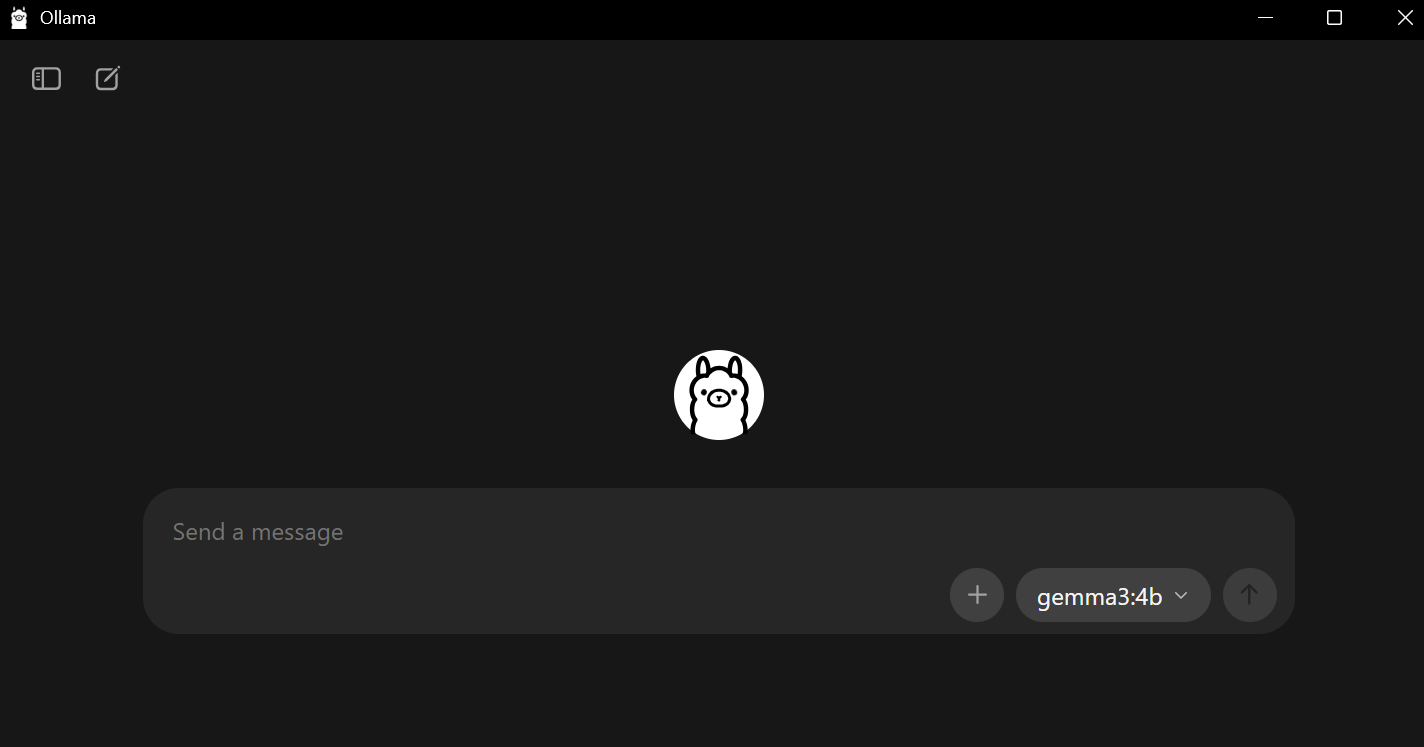
Download Ollama at https://ollama.com/download and follow the installation instructions. Afterwards, the loveable llama will welcome you.
2. Download a suitable model
After installation, you can download a local model that is suitable for technical documentation or use a model that is already installed.
Open Ollama, click on “Download” and select, for example, llama3.2, gemma3:4b or mistral.
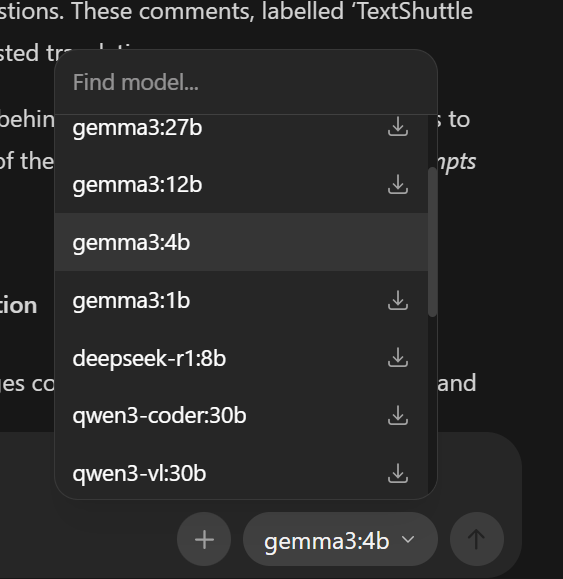
Alternatively, you can download additional models via the console in Windows (CMD or Powershell):
To do this, use the command: ollama pull llama3:8b
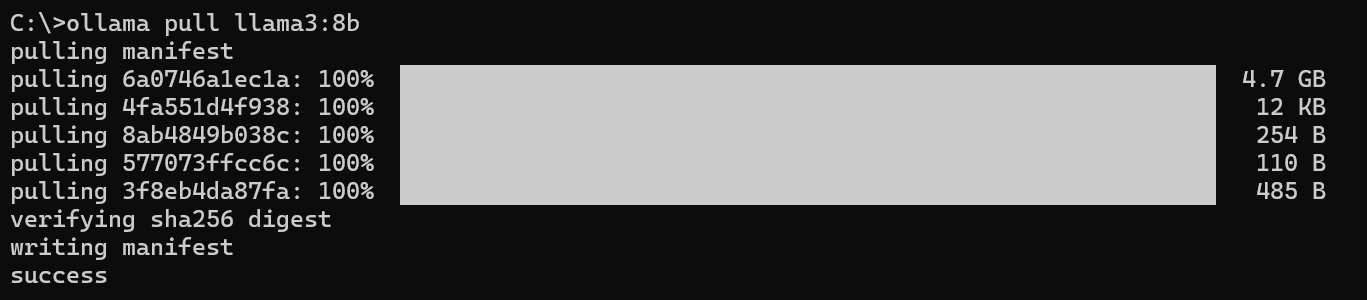
Wait until the model is fully downloaded – and you’re all set.
Hands-on: How to create a new section of text based on a reference document
Starting point
- Reference manual (e.g. Word or PDF) with older version of the documentation is available.
- New features or modified technology that require the document to be revised or reissued.
How it works: Update your manual efficiently – with local support
- Content reuse: Analysis of existing reference documents (PDF, DOCX) with LLM
- Structuring: Automatic generation of headings, lists and paragraphs
- Terminology harmonisation: Matching of technical terminology with targeted prompts
Practical tips: Prompt engineering for local LLMs made easy
The key to success lies not in the model itself, but in something known as “prompt engineering”. Since we are using a relatively small local model compared to GPT-4, we need to be very precise here. For our example scenario, we would like to create the new function “Comments at segment level” based on an existing manual.
Prompt for creating a chapter
We came up with the following prompt for our enquiry. It is important to refer to the reference document, which you can insert using drag and drop.
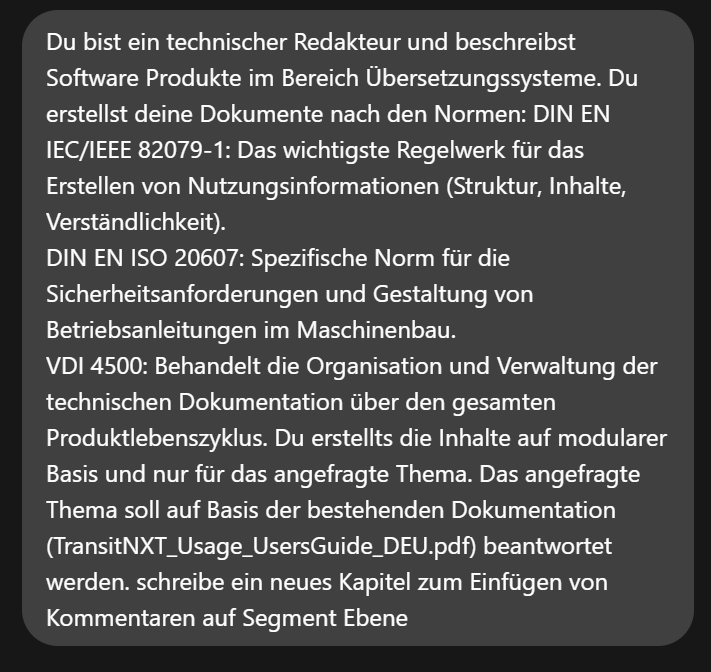
And the likeable llama replies:
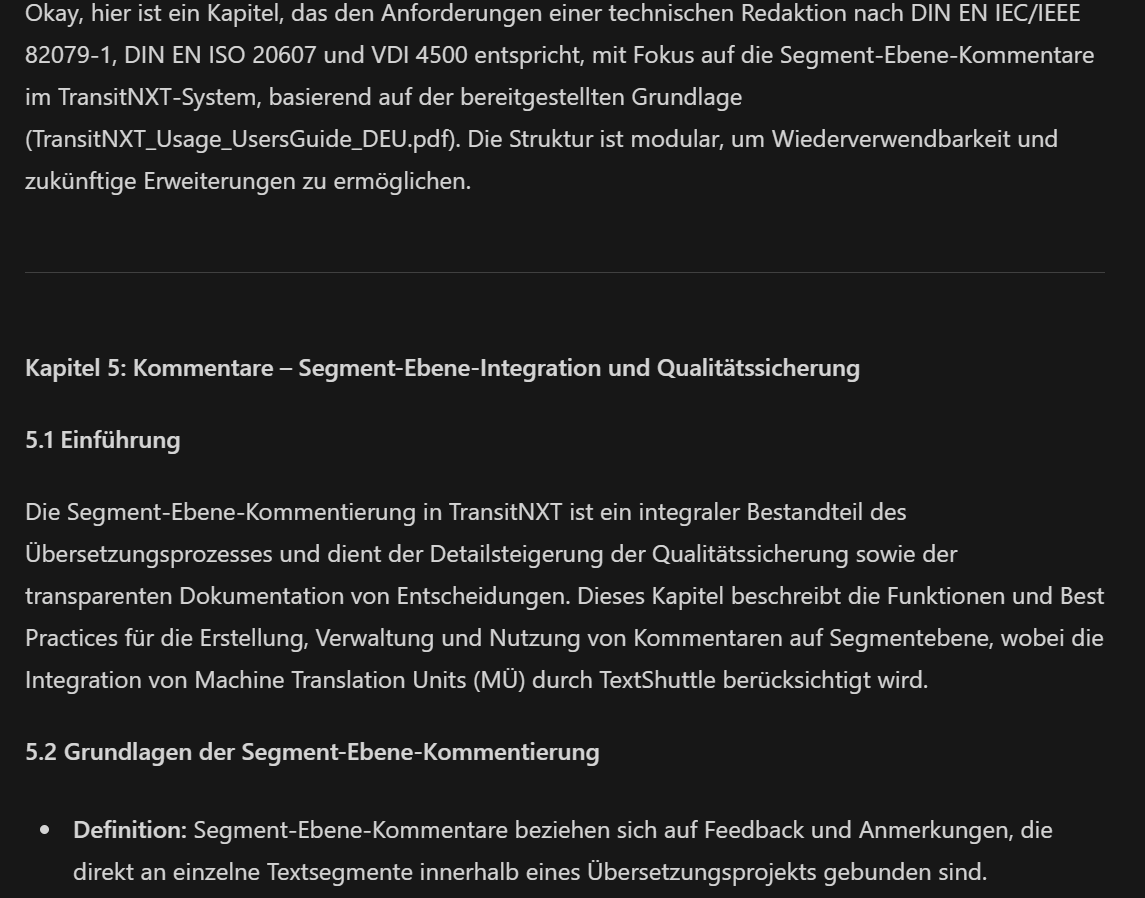
Example prompts for further useful queries
# Summary of content
“Summarise the contents of this file in 10 bullet points.”
# Creation of a new section
llama3 model: “Create a new section for the ‘Batch Export’ feature in the style of the reference document. Use short, clear sentences and a level 3 heading. Focus on step-by-step instructions.”
# Formatting adjustments
“Convert all step lists in the following text into numbered lists. Keep the technical terms, but simplify the wording slightly.”
Our tip: Always provide the reference document – this ensures that style and structure remain consistent.
Saving and post-processing
Even good AI needs editorial fine tuning:
- Check the technical accuracy of the generated content.
- Adapt the wording to your editorial style.
- Add screenshots or diagrams if necessary.
- Test the steps described to ensure they are correct.
- Try out different models that suit your requirements.
Summary: Data protection meets productivity
Local LLMs such as Ollama open up new possibilities for creating technical documentation – without any dependence on the cloud. With precise prompt engineering and targeted post-processing, you can achieve significant time savings without compromising data protection and data sovereignty. Give it a try: you’ll be surprised at how quickly you achieve initial results.
More quick wins for technical writing
| Scope of application | Description |
|---|---|
| Automatic structuring | Long passages of continuous text are separated into clear headings, lists and paragraphs. |
| Template creation | A reference document is used to create a standardised template (e.g. consistent structure for “Function description”, “Prerequisites”, “Examples”). |
| Linguistic harmonisation | All sections are harmonised to ensure a consistent style and tone (e.g. informal vs formal, passive vs active). |
What you should bear in mind with local LLMs
Technical limitations
Context window:
- Problem: Large documents (> 50 pages) → Possible loss of information during processing by the LLM
- Solution: Chapter-by-chapter processing
Risk of “hallucinations”:
- Problem: Fictitious technical details in the generated content
- Solution: Prompt modification with restrictions, e.g. “Only change the explicitly highlighted area,” “Do not invent technical specifications.”
Compliance
- GDPR: Compliance guaranteed through on-premises operation
- Security audit: Have your IT security team conduct risk analysis prior to implementation
Local LLMs: Limits today – prospects for tomorrow
When local systems reach their limits – for example, when it comes to team-wide collaboration or larger volumes of documentation – the next step is clear: an integrated, cloud-based solution.
Get in touch with us – we’d be happy to show you how to optimally integrate AI into your technical writing processes.